
Diwa Fun Disclaimer – How to Use Our Information With the Current Platform
The Diwa Fun Disclaimer explains how we want players to use the information published across our website. At Diwa Fun, we write practical guides about games, Android access, registration, login, rewards and common support situations. These guides are designed to help you understand a process and decide what to do next, while exact product details may change over time. A game can receive new rules, an app can be updated, a registration form can add another field and a campaign can end. Our approach is simple: use our content to understand the journey, then use the current Diwa Fun screen to confirm any detail that directly affects your next action.
Our Guides Are Designed to Help You Make Better Next-Step Decisions
When you open a Diwa Fun guide, we want you to leave with a clear idea of what to do next.
That does not always require every technical detail.
For example, if you are installing an Android app, the most useful information may be how to identify the correct APK, where to find the download and what to do if Android shows a package conflict. An exact file size only becomes useful when it has been verified from the current package.
The same idea applies to games and rewards.
A game guide should help you understand the objective, controls and round flow. A reward guide should help you identify eligibility, required activity and current status.
The Diwa Fun Disclaimer is therefore built around one principle:
stable guidance explains the process; live product information provides the exact current detail.
That distinction helps us avoid turning temporary data into permanent statements.
What We Can Explain Clearly
Our content can cover practical processes such as:
- how to compare different game styles;
- how to review rules before starting;
- how to prepare an Android device;
- how to download and install an APK;
- how registration and login differ;
- how account recovery usually works;
- how to review reward eligibility and status;
- how to prepare useful information for support.
These topics remain useful even when the interface changes.
What You Should Check on the Current Screen
Some information should always be confirmed from the current product or campaign, including:
- exact app version;
- current APK size;
- Android requirement;
- registration fields;
- game-specific rules;
- current campaign dates;
- exact reward values;
- account status;
- current support options.
The Diwa Fun Disclaimer helps you understand why these two types of information should not be mixed.
Game Guides Help You Understand How a Title Works Before You Play
At Diwa Fun, we want game content to be useful before a player starts a round.
That means explaining the parts that influence the actual experience.
For a card-based title, useful information may include:
- objective;
- hand or combination rules;
- turn flow;
- controls;
- scoring or completion logic.
A rummy-style game, for instance, may involve sequences, sets and jokers. This helps users understand the general structure, but the current game should still be checked for its exact declaration or scoring rules.
Reel-style games use a different information pattern. Players may want to understand the symbols, round controls, result screen and any title-specific mechanics.
Quick or casual games may need only a short explanation of the objective, action and end-of-round condition.
The Diwa Fun Disclaimer for game content means we explain enough to help you understand the gameplay category without assuming every title inside that category is identical.
Why the Current Game Rules Matter
Imagine that you already know one rummy-style title.
You open another and recognise the cards, sequences and sets. It may feel familiar, but the game could still use a different scoring or completion condition.
That is why we recommend this flow:
- Use our guide to understand the game style.
- Open the current title.
- Review its help or rule section.
- Check the controls.
- Confirm how the round ends.
- Start when the flow is clear.
This makes Diwa Fun game information practical without pretending one description covers every possible title.
App Guides Explain Android Behaviour, Not a Permanent APK Specification
Android applications change.
A new release can have a different version, package size, compatibility requirement or interface.
The installation process, however, remains familiar.
For this reason, the Diwa Fun Disclaimer for app information separates how to install from what the current package contains.
A typical APK journey may still be:
Current source → Download → Downloads folder → Installer → First launch
Before installation, we recommend reviewing:
- available storage;
- network connection;
- current source;
- existing APK files;
- Android prompt;
- account credentials.
These steps are useful across many releases.
Duplicate Files Are a Real Android Situation
If you download the same APK several times, Chrome may create files such as:
diwa-fun.apk
diwa-fun (1).apk
diwa-fun (2).apk
The filename alone does not prove which package is current.
Check the source and download time before opening one.
The Diwa Fun Disclaimer is useful here because it encourages users to verify the current file rather than treating an old APK in Downloads as permanent product data.
App Installed but Login Fails
This is another situation where separating information matters.
If Diwa Fun opens normally after installation, the app may already be installed correctly.
A failed login can belong to the account instead.
Check:
- account identifier;
- current password;
- autofill;
- session status;
- recovery option.
Reinstalling the APK repeatedly may not solve an account-access problem.
Account Guidance Changes Depending on Whether You Are New or Returning
Registration is useful for a new user.
It is usually the wrong starting point for someone who already has a profile.
That is why our account guidance is organised by user state.
New User
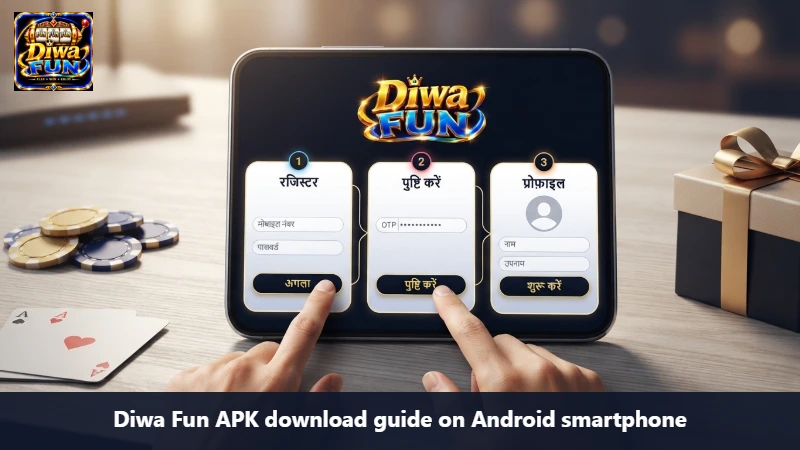
If you are creating an account, a typical process may include:
- Open the current registration form.
- Read the fields displayed.
- Enter the requested information.
- Create a secure password.
- Complete OTP verification if requested.
- Review the information.
- Submit the form.
- Check confirmation.
The exact fields are decided by the live Diwa Fun form.
Returning User
If you already have an account, use the login process.
If access fails, review saved credentials before creating another profile.
A password manager may still contain an older password. A device change may also require a new login session.
Existing User With an Access Problem
Use the recovery path shown on the current screen.
The Diwa Fun Disclaimer for accounts helps users avoid confusing three separate actions: registration, login and recovery.
Keeping them separate makes the next step much clearer.
Reward Information Should Be Read as a Current Programme
Reward content is one of the areas where current information matters most.
A programme can start, end or change.
At Diwa Fun, we may explain familiar programme structures such as:
- Welcome Bonus;
- Daily Rewards;
- Referral Programme;
- Festival Campaign;
- Loyalty Benefits.
These names explain the type of programme. They do not mean every programme is always active for every account.
When you see a current offer, review:
| Detail | What to Check |
|---|---|
| Programme | Which offer are you viewing? |
| Eligibility | Does it apply to your account? |
| Activity | What must be completed? |
| Period | Is the campaign currently active? |
| Status | What has already been recorded? |
This is how the Diwa Fun Disclaimer applies to rewards.
Check Status Before Repeating a Claim
Suppose you complete an activity and the page reloads.
Instead of doing the same action immediately, open the reward record first.
The system may already show:
- Available;
- Claimed;
- Pending;
- Completed;
- Expired.
If the activity is already recorded, continue from that status.
This keeps the reward process easier to understand and gives you better information if support is needed later.
A Good Support Question Starts With the Stage Where the Problem Appeared
When something does not work, the most useful information is usually where the process stopped.
For example:
Download problem The APK did not finish.
Installation problem The file downloaded but Android will not install it.
Account problem The app opens but login fails.
Game problem The platform loads, but one title does not.
Reward problem The activity is complete, but the status is unclear.
These situations should not all lead to the same troubleshooting step.
The Diwa Fun Disclaimer encourages users to identify the stage first.
What to Include When Asking for Help
A useful support request can include:
- what you were trying to do;
- which screen you were using;
- approximate time;
- device or browser;
- connection type;
- current status;
- steps already completed.
Passwords and OTPs should remain private.
A short message with this context is usually easier to understand than a long message that only says “it is not working.”
When the Live Screen and an Older Guide Look Different
This can happen after an update.
You may notice:
- a menu moved;
- a button uses a new label;
- an extra registration field appears;
- the app version changed;
- a campaign ended;
- a game help screen was updated.
In those cases, follow the current operational detail.
The older guide may still explain the overall process correctly.
For example, the registration page may change layout while still requiring the same basic journey: complete the requested information, verify where required and submit the form.
The Diwa Fun Disclaimer exists partly to make this difference easy to understand.
Real Situations Where This Disclaimer Helps
“The guide mentions an APK, but my downloaded file shows different package information.” Use the current verified source. Package data can change between releases.
“I know how rummy works, but this title uses a rule I have not seen before.” Follow the current game rules. General rummy knowledge helps with the format, but the individual title determines its own mechanics.
“The registration form asks for something that the guide did not mention.” Complete the current form as displayed. Our guide explains the registration journey, not a permanent list of fields.
“I can see a festival promotion, but I do not know if I qualify.” Open the current programme and review eligibility, activity and status before taking another action.
“The app opens, but I cannot get into my account.” Treat this as an account-access issue first rather than automatically reinstalling the app.
Conclusion
The Diwa Fun Disclaimer gives players a practical way to use our content without confusing general guidance with changing product details. We explain game structure, Android setup, account journeys, reward logic and support processes so you can understand what comes next. Exact app data, live form fields, title-specific rules and current campaign conditions should still be confirmed on the active Diwa Fun screen. By separating these two types of information, we can keep our guides useful, detailed and easy to follow while giving the current platform the final word on details that can change over time.
18+ Safety Notice
Adults 18+ only. Open Diwa Fun only where that lobby is lawful.